Month: October 2012
Tech Tuesday: The Flipped Classroom
Tech Tuesday: The Flipped Classroom
(heads-up to the new buzz word coming down the pipe)
Are you flippin’ kidding me?! Yet another buzz-word, topic of discussion for faculty meetings, initiatives, seeds, pilots…they just never end do they 🙂 Nor should they!
I, too, tired of the endless onslaught of programs, anachronisms, and pilots, but let’s keep some perspective and remember that the business of education cannot become static. It is in our best interest to continue reflecting, examining, and being critical of the practices and tools we bring to our students. Do they truly represent the demands and learning styles of a digitally-savvy generation?
Today I present you with a little nugget of an idea that a few of you have already started to nibble at: the flipped classroom.
Here’s some food for thought:

Don’t you just love infographics?! They make blogging so easy 🙂
Is this idea entirely revolutionary and unique? No, there are many other names and variations out there (front-loading, anticipation guides, schema theory, VESTED). What might be novel to some folks is the idea of employing technology as a tool to do these things. The infographic touts some impressive (and hard-to-believe) statistics for one flipped school. I’d be very curious to see this tried in one class for one week. My Big Campus is a terrific fit for this approach with the extensive Library resources, ability to upload YouTube videos, and learning tools such as discussions, chats, and assignment.
Heck, I’ll even pitch in and help gather resources and organize the content into MBC! Take me up on it, seriously, let’s see what happens just for one week…
For dessert, visit Khan Academy, and take a little test drive for some possible videos you could use as part of a flip:
http://www.khanacademy.org/
I even grabbed one for the electoral college to re-post just to tickle your taste buds…
Tech Tuesday: My Big Campus
Tech Tuesday: My Big Campus, a safe online classroom platform
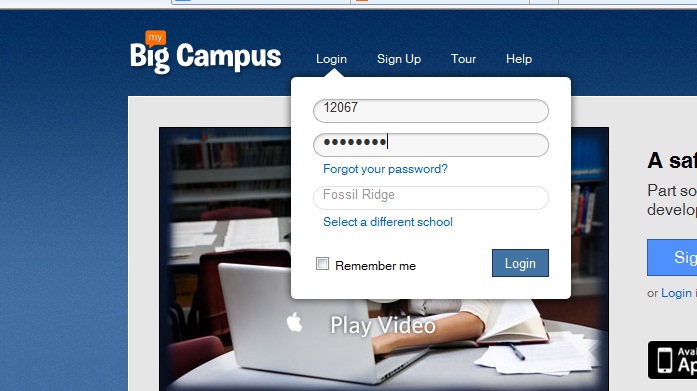 Groups–Getting started is easy-peasy! Teachers and students are already registered. In fact, when you click on your groups, you will see each class period and subject already organized into groups.Students will see each of their classes as well. Click on a group to enter the online classroom for that class period.
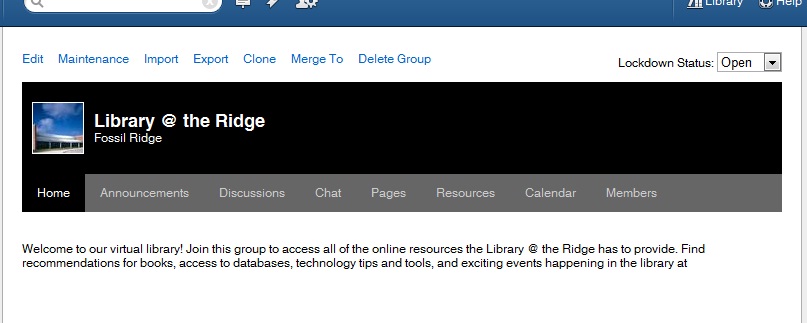
“Right now, I am loving the calendar feature. Each morning I put our physics plan for the day on the calendar and in the description portion I let the students that are absent know what they will need to do in order to make-up their missing work for the day. I no longer have to answer the dreaded question “I was absent yesterday, did I miss anything?” ~ Camren Robinson
 In addition to groups, teachers and students have access to Conversations, a messaging feature, Schoolwork–the feature that allows students and teachers to create and access many types of assignments. Bundles allow teachers to create online units of study to align with curriculum. Teachers can upload YouTube videos, pdfs, word docs, and jpegs to “bundle” together to create an engaging extended classroom.
Both students and teachers can maintain a blog through MBC. Blogs allow for a personalized platform to reflect on learning in any content area.
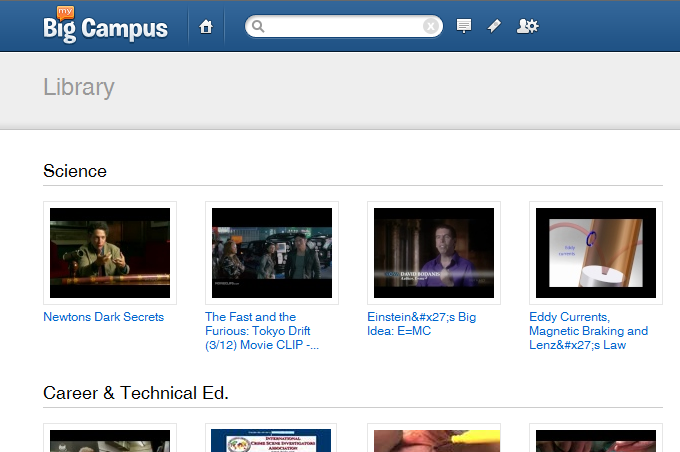
One of the most useful features in MBC is the Library. Teachers can search for content that has been uploaded into bundles to pull into a bundle for their class. They can also upload additional content and share with team members.
Independent Reading Myth #3 Students Won’t Read
Myth #3–Students won’t read in class if I give them time.
- Book Talks–Talk about what you are reading. What do you say to your friends when you are excited about a book you can’t pull yourself away from? You don’t spill the entire plot, right? Rather, you give them just enough so they want to snatch it up as soon as you are finished. This is the perfect opportunity to model what real readers do as they share their reading experiences. Also, it’s an opportune time to sneak in a mini-lesson (very mini) about previewing and predicting texts. Book talks work especially well at the beginning of SSR. I’m very purposeful with my booktalks. Sometimes, it’s a book I’ve chosen for a reluctant or stalled reader, knowing he or she will be the first ask for it. And other times the book might have a thematic link to our shared reading; my more sophisticated readers understand the magic that can occur when you begin to read for themes across genres and across books. If you’re still unsure what to say, read the cover. Publishers usually do a pretty good job o inviting readers to try the book on.
- Read-Aloud–I fight hard to preserve my read aloud time. This is also a good practice to begin SSR with. During read aloud, you are reading and the students are listening. That’s it. Period. I begin read aloud by reminding my students of the purpose–listen to enjoy. Read alouds can be editorials or articles, cartoons, excerpts from novels, picture books, or entire novels. One of my favorite read aloud experiences was with a little book called Same Kind of Different As Me. Written by two Fort Worthers, this precious story describes the unlikely relationship between an entrepreneur, his terminally ill wife, and a homeless felon and how they learned that it’s not the differences that matter, but the sameness. Choose texts that are pleasing to hear, good strong story arcs or structure, and challenge the reader just enough to help build an understanding of structure and vocabulary. At the end of a read aloud, don’t start in with twenty questions over plot, character, support, or theme. Invite students to respond however they need to with a simple, “what sticks with you?”
- Excerpts– I love to be sneaky and bring in an especially enticing YA excerpt to pair with traditional literature. Some of my favorites include Laurie Halse Anderson’s Speak paired with The Scarlet Letter, Gordan Korman’s Jake, Reinvented with The Great Gatsby, Sharon Draper’s Romiette and Julio with Romeo and Juliet, just to name a few. The excerpts are used not only to draw connections between texts, but also as vehicles for many litearcy skills. I find that examining the isolation and social-outasts from the perspective of a 15-year old freshmen is a little more approachable than through Hester Prynne. Inevitably, some reader will ask to check out the entire book once we spend part of a day exploring a snippet. Excerpts also make for terrific mentor texts during writer’s workshop as well.
- Conferences– I’ve already discussed the power of talking to your readers about what you read. Talking to them about what and how they read is as equally important. I’m not talking about asking them to provide you with a five sentence summary, analyze the intrinsic motivation of the character, or expound on the symbollic or thematic elements. The kind of transformative talk that makes readers grows organically from a student’s reading experience, how he or she relates to the text. Conferences, one-on-one or small group discussions with readers, allow this transaction to come to the surface. Tangled and alliterate readers may not have recent experience with a text that invited them to make their own meaning. Their experiences stem from teacher-selected reading tasks and purposes. Again, I like to start with a simple question, “What sticks with you?” From there, with some probing and modeling, I allow the conference to take its natural shape. Not only can I judge whether or not a book is a good match for a reader, but I can facilitate a deeper reading experience and recommend subsequent titles.
Any new practice takes time to adapt. Most of your average 17-year olds have very vague recollections of choosing a book AND being given time in class to read it. Some have no memory of such a practice as they were probably never given that freedom. Sad, I know. And so it’s going to take some time. In the fall we are warming up, building those reading muscles, forming good habits as readers, exploring our own reading interests and styles. Sometime before Christmas my new readers might finish the first book they have ever read by themselves that they chose. Between New Year’s and Spring Break everyone is exploring their reading identities. And in the spring, we all sit back and marvel at the transformation. Just remember, for some of your readers, one or two books is a success.
Still unsure or need more convincing? Check out some of these resources:
Teri Lesesne’s Making the Match
Kelly Gallagher’s Readicide
Penny Kittle’s Book Love (coming fall 2012)
Janet Allen’s Yellow Brick Roads
How are you able to facilitate a reading community that reads together?
Happy reading!
Audrey
Tech Tuesday: Apps for Animation
Tech Tuesday: GoAnimate and Sock Puppets

 I’ve asked Madame Morgan to be my guest on the blog this week, and she graciously accepted.
 Why did you choose GoAnimate and Sock Puppets?
What obstacles, limitations, or surprises did you encounter?
What are the benefits to using applications and web 2.0 tools for animation?
- engages students in the learning process as they synthesize content into a digital story
- supports collaboration between students through the writing process: brainstorming, story-boarding, drafting, revising, publishing
- a task with an identified audience of their peers, other students, YouTube, etc. provides relevance along with rigor
We’d love to hear your thoughts regarding possible extensions and adaptations of this project in your content area! Feel free to leave any questions or thoughts for Mme. Morgan as well.
Tech Tuesday: Socrative, Mobile Classroom Response
Tech Tuesday (again…late, by 6 days! oy vey…): Socrative.com

My apologies for my tardiness. Last week, I was able to demonstrate a fantastic mobile app and website that allows teachers to create response activities for students. The fifty or so teachers who sat in on my demonstration were so very patient with my technology flubs and mishaps. I promised to be more organized in my blog post, so here it goes!
Overview:

Mythology Book Talk
Each year our freshmen English I classes study classical Mythology. Man, did I love teaching the literature in English I! I mean, seriously, The Odyssey, Mythology, Romeo and Juliet, To Kill a Mockingbird…you don’t get much better than that!
I wish that when I was leading students through an exploration of classical mythology, I had shared more books with them that borrow from it. Part of the reason why I didn’t was because I didn’t know many! But, now I have more to share than I have the time and space to do so. Today, I posted a book talk sharing four YA novels that are inspired by mythology or spin-offs.
Enjoy!
Glolgster…not your ordinary poster project.
 Tech Tuesday #6: Glogster–Virtual Posters

Thanks to a very unwelcome visit from the stomach-flu fairy, I missed yesterdays Tech Tuesday posting :-(. So this week I am presenting Tech Tuesday on Wednesday!
Everyday I have teachers ands tudents asking me about technology tools for class presentations. They are eager to move beyond the traditional stand-and-present poster project or click-and-read PowerPoint (this makes my heart happy). Today I present Glogster, an interactive poster creator. Gloster allows the creator to create a mash-up of video, images, text, and graphics to create a virtual poster. View the VoiceThread tutorial below for a basic introduction of the educational version of glogster (edu.glogster.com).
-
Book reviews
-
Advertisements
-
“About me” presentations
-
Compare/ Contrast ideas or topics
-
Illustrate concepts
-
Extend and Deliver in VESTED
Have you or your students glogged? Tell us about it!
 (Re)Inventing the Librarian