digital story
Tech Tuesday: Apps for Animation
Tech Tuesday: GoAnimate and Sock Puppets

 I’ve asked Madame Morgan to be my guest on the blog this week, and she graciously accepted.
 Why did you choose GoAnimate and Sock Puppets?
What obstacles, limitations, or surprises did you encounter?
What are the benefits to using applications and web 2.0 tools for animation?
- engages students in the learning process as they synthesize content into a digital story
- supports collaboration between students through the writing process: brainstorming, story-boarding, drafting, revising, publishing
- a task with an identified audience of their peers, other students, YouTube, etc. provides relevance along with rigor
We’d love to hear your thoughts regarding possible extensions and adaptations of this project in your content area! Feel free to leave any questions or thoughts for Mme. Morgan as well.
VoiceThread: Online Collaborative Presentation Tool
Tech Tuesday #4: VoiceThread
 We’ve all been there. Sitting in a meeting, our eyes start to cross, ears start tuning out as another PowerPoint presentation clicks, clicks, clicks through various slides. Not that PowerPoint isn’t a terrific tool to present information, but with all of the options for today’s students to synthesize and publish information in unique ways, perhaps we should begin to consider it as an option rather than the default.
Today we’re exploring a free, web-based tool that allows students to create video presentations by mixing images, videos, documents, presentations, and comments (voice and text). VoiceThread (voicethread.com) allows the user to create a project and share it with collaborators. They can then create a project together but remotely, solving the problem of when and how they will find the time and resources to create a presentation in a single file.
To demonstrate the various tools and uses for Voice Thread, Here’s a VoiceThread on VoiceThread!
What possibilities do you see for VoiceThread with your students? Leave us your comments 🙂
Digital storytelling, book trailers, and more on Animoto
Tech Tuesday #3: Animoto

Several years ago as a young (cough, cough), enthusiastic English teacher, I threw myself on the digital storytelling bandwagon. With all the patienice we could muster, my students and I muddled our way through learning Microsoft PhotoStory and Movie Maker. Although rather intuitive and simple, PhotoStory lacked the dynamic movie feel whereas MovieMaker’s constant bugs and importing and rendering headaches often left us short of a final project.
(Enter Animoto.) In the summer of 2007, my husband, Phil, and I went to Europe. When we returned, Phil surprised me one day with a really cool video of our pictures set to music with animation and design incorporated. (See our European Vacation below:)
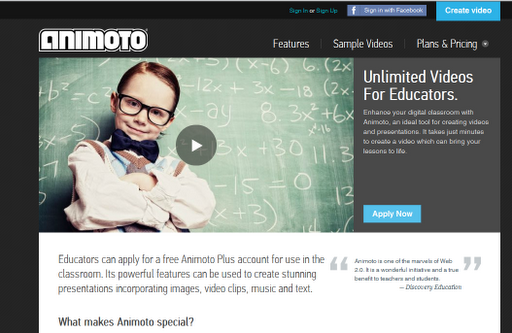
It didn’t dawn on me then that I could use this fun little tool as a vehicle for digital stories and multi-media presentations. As a FREE web-based tool, Animoto allows you to import photos and video, add text, and music, to create a visually dynamic video. Today, we see examples of Animoto videos all over the web. Students, teachers, and librarians are utilizing this free and intuitive tool to create book trailers, present information, and produce engaging multi-media projects over a number of different topics. Those of us trying out VESTED can create quick “Views” using animoto as we introduce new concepts and units. Students could then use it to “Extend” their learning by creating a video of their own.
Additional pros include::
- WYSIWYG (What you see is what you get)–all features, options, and tools are present on one screen–no hunting involved
- Quick rendering speed–Since it is web-based, you don’t have to worry about student projects rendering on a computer from last period that you need right away. Animoto will send the creator a message when the video is available.
- Publishing options: you can share through social media sites (Twitter, Facebook, etc.), email the link, copy and paste the link, or download the video as an mp4
- Built-in music library–Animoto provides copyright-free music that you can search for by genre.
- Free version for educators–with an educator account you can share up to 50 licenses with your students. Free versions are still available but the educator account includes the “Pro” designs and features.
-
Thirty-second limit: in the free version (not the educator license), you are only allowed 30 seconds for your video. The educator license, however, does not have a time limit.
-
Limited animation: The WYSIWYG aspect to Animoto is also a pitfall for those tech savvy creative types who want to make their own customized animation. The designs come pre-set with animation and motion.
-
Upgrade for better video quality: The educator license allows you to download the video as an mp4. For better quality and HD, you have to upgrade to the Pro version. I find, however, that the video quality is just fine for my use.
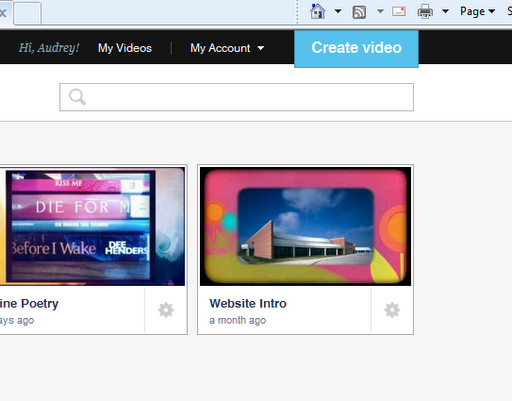
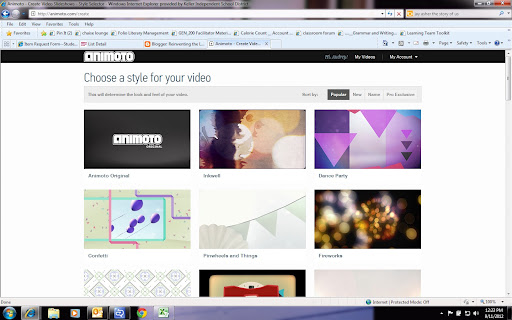
Here’s how to get started:


 (Re)Inventing the Librarian