Module #7 Hope Was Here
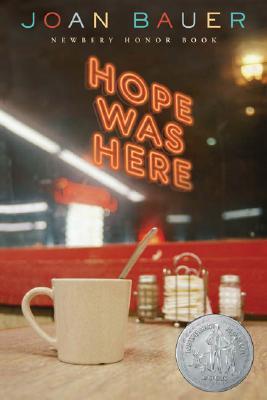
Book Summary
Hope and her aunt arrive at a new Wisconsin town after leaving New York City to work as a waitress and head chef. She has become accustomed to leaving behind friends and moving from place to place, but this new town forces her to put down real root when the restaurant’s owner, GT, a leukemia survivor, decides to run against the town’s interim mayor in the next election. Hope joins the campaign believing in GT’s vision and passion for the small town and finds herself a permanent home with a full family.
APA Reference
Bauer, J. (2000). Hope was here. New York, NY: Puffin Books.
Impressions
Hope quickly became one of my favorite female characters. Bauer created a leading female teenage character who is honest, complex, faulted, and most importantly, hopeful. As realistic fiction, this book provides a refreshingly optomistic and gentle examination of some of the more serious issues that some YA realistic titles explore through much more dramatic means. Issues realting to cancer, racism, political corruption, and non-traditional families are treated with dignity and honest perspectives of the characters who are affected throughout the story. GT, although he knows how precarious his life is and how close to death he came, chooses to–despite his relapse–stand up for a cause and become the leader he feels his community needs. The slow-to-grow romance between Hope and short-order-cook Braverman develop with patience and sincerity throughout the course of the novel stands in contrast to the “brooding boy meets girl-next-door” love story that populates many YA books. The secondary cast of characters including the villainous corrupt mayor, Eli Millstone, and Hope’s absentee mother round out the diverse array of human relationships and motivations and stand in stark contrast to heroic GT and Addie, Hope’s maternal figure.
Professional Review
Hope Was Here
Fletcherspear, K. (2001). Hope Was Here (Book Review) [Review of the book Hope was here]. Book Report,19(5), 56.
Library Uses
NCTE 2012: Classical and Current: The Hybrid High School ReadingCommunity
Classical and Current: The Hybrid High School Reading Community
As a high school English teacher, my initial attempts at creating a thriving reading community were inspired by the type of reading community that I was most familiar with–the literature class. There seems to be a shared experience among literature majors across universities and colleges; the community is based on the study of a canonical text, reading assigned chapters, coming to the lecture to be “filled with knowledge” regarding the Meaning of the text from the expert (aka professor), and then qualifying, defending, or denying that meaning through critical analysis. For a literature student, there is nothing more exciting that to deconstruct a work, applying a critical lens, and then writing or talking about it in relation to Truth and Life.
For a high school student, there is nothing more tortuous than to come to class and have your (very naive) English teacher lecture to you for 45 minutes a day about what the boring book written by some dead white guy “means.” And this is where my journey to creating the conditions for a thriving reading community began.
It did not take me very long to realize that my carefully crafted reading guides, lecture notes, and essay tests were not helping me in my goals to facilitate a love of reading for my adolescent readers. While I pondered, explored, and experimented with ways to help my students construct meaning from their reading experiences with works such as Lord of the Flies and Oedipus Rex, my administration recognized a certain fervor and energy within me and bestowed upon me a very special assignment: the English repeat class. My second year of teaching I was “selected” to take the freshmen English I class that consisted of students who had failed the course the first time.
“It didn’t work for them the first time, Audrey, so do something different with them.” Different. What did I know that was different? Luckily, that summer, a friend introduced me to a “new” author, Walter Dean Myers and this book about a teenage boy on trial for murder. Since 95% of my students were boys and 75% of them were hispanic or black, I said, “hey, this is different” and managed to collect enough copies of Monster to spread around my classroom. After the first day, I realized that I had found the difference that makes the difference–young adult books that engage students with stories about protagonists who they can relate to.
My little class of repeaters eventually became my first taste of what a reading community can look like in a high school English class. Students were sharing books, talking about what they liked and didn’t like, writing in response to what they read, and making meaning through Literature study. Since then, I’ve heard many stories about how YA literature was first introduced to high school remedial or reluctant reader classes because they “can’t handle” real literature. At the time, I might have nodded in agreement. Today, however, I’ve come to realize that YA literature IS real literature and that with an appropriate balance and reader-response based practices, ALL adolescents not only can handle the canon, but can come to see it as a part of their reading lives and communities.
As my confidence in what I was doing with YA literature grew, I began to integrate the same practices into my on-level English classrooms. I brought YA books such as Laurie Halse Anderson’s Speak into my classroom to book talk and share and even took my classes to the library to check out books. Simply showing my students books did not ignite a love for reading, however. I decided that because reading was not a regular habit for my students–many reported having never finished a book for pleasure on their own– or they were just too busy to read on their own, I borrowed a practice from my experience as an elementary student: DEAR (Drop Everything and Read). I started incorporating DEAR into the first five minutes of every class as my “bell-warmer” but realized almost immediately, that five minutes was not enough time to engage in a book.
Before I could consider extending independent reading time every class period, I had to consider what I was ready to let go of. What practices was I clinging to out of familiarity or peer pressure that I knew weren’t really contributing to my students’ growth as readers and writers? I return to this question regularly to make room for the community to continue to thrive. First on the chopping block were ten assigned vocabulary words that we would define on Monday, write sentences with on Wednesday, and quiz on Friday. I upped our DEAR time to 15 minutes each day with a five minute reader response time and the shift in our values as a community was immediate.
A typical class period would begin with a book talk, trailer, or read aloud to introduce a new title to my class. We, ALL, would read for 15 minutes. Yes, I read with them. I did not take attendance, answer my emails, or grade papers. I settled myself in my director’s chair, set my timer (because I would often stop watching the time, losing myself in my book), and read with my students. At the end of the time, we all wrote in response to our reading. Some days I included a mini-lesson or think aloud about my book, but most days was open for students to respond as they needed. After DEAR, we would go on to our literature study or writing lesson.
Students were sharing books, asking for recommendations, borrowing from my collection or visiting the school and public library. But when DEAR was over, our community seemed to take a back seat to the Literature we had to “cover.” I began to wonder, “how can I help my students find the connections and “intertextuality” between the books they love to read and the traditional texts we study?
 Isn’t it amazing how the stars all seem to align at the same time? Images, culture, events, and your own burning questions start to take shape and have momentum. At the same time I wondered how to create bridges between my students’ reading experiences with YA and traditional titles, the Prius started to become popular. Everywhere I would see ads, hear commercials on the radio and T.V. The Prius seemed to populate streets and highways overnight. A hybrid vehicle: the best of the traditional model with the efficiency and innovation of the contemporary world.
As the Prius gained in popularity, “hybridism” seemed to be infiltrating mainstream life. One day while perusing my grocery store’s apple collection I came across the “grapple.” The grapple is a grape-apple! How ingenious (and yummy).
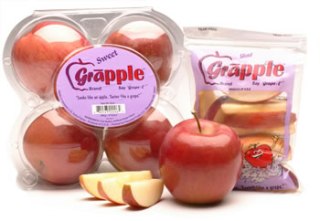 And then I realized, my classroom is a grapple; a hybrid high school English classroom integrates the contemporary stories, texts, and reading experiences with constructive literature study, allowing for a reading community to take root, grow, and explore life’s big questions.
I’ve thought a lot about the “how-to” part of creating these communities. There are three real practices or “simple rules” that are non-negotiable for a healthy high school reading community. For each of the following practices, I’ve included tools, resources, and samples that I have created with and for my students.

Three practices that foster high school reading communities:
1) Let your students get to know you as a reader– read in front of them, to them, for them, and with them. Seek out and join a reading community–either in person or online.
Check out these sites and blogs to follow:
Goodreads.com
Shelfari.com
Nerdybookclub.wordpress.com
yabooklove.com
teachmentortexts.com
2) Support their exposure to young adult literature with book talks, trailers, and lists that draw a thematic connection to literature.
3) Invite them to explore difficult themes, contexts, and situations in young adult literature alongside classical literature with peers through literature circles. Bring in contemporary authors as writing exemplars and mentor texts to engage students in young adult and adult literature while empowering them as young writers.
VoiceThread book talk sharing titles that explore questions regarding war and its impact on the individual to accompany Tim O’Brien’s The Things They Carried.
(This blog post is a re-telling of the round-table presentation for The Nerdy Book Club panel at NCTE, 2012–special thanks to all of the amazing Nerdy members I met and connected with in Vegas!)
Tech Tuesday: Google Earth

Google Earth: More than “Miss, I can see my house!”
I remember when I first learned about Google Earth. My students and I were fascinated by typing in our street address and zoom in so we could distinguish the roof of our school and then even the fence line of our backyards! A view of our own little world and community from space provided us with a new perspective into how we related to the world around us.
When I was really on fire about Google Earth, I would pull it up, type in the name of a city or address or continent and display it for my classes to help them understand the geographical context of a story or author we were studying. This was high-tech stuff for me as an English teacher.
But, Google Earth goes far beyond “you are here.” Did you know that Google Earth has features such as push pins, narration, tours, recording, annotation, embedding media, and so much more?! Check out the video to see some of the basic features while navigating in Google Earth.
For a hands-on experience, go to Tour of Google Earth’s features.
Of course, Google Earth is much, much more than merely zooming in and out to find landmarks. Below is a list of popular tools in GE and how they can be used in the classroom (borrowed from Google Earth’s Education Resources):
Classroom Resources: Features for My Class
Fly to the Sky: With Sky in Google Earth your students can explore Hubble telescope images, check out current astronomical events, study the proportions of different planets, measure their size, and observe the relative brightness of stars. You’ll capture the wonder of the universe without leaving your classroom. Learn More! Easy
View Historical Imagery: With the timeslider, view historical imagery to study the construction process of large buildings such as sports stadiums. You can also see how communities have developed by comparing the city layout of past and present. Learn More! Easy
View 3D Buildings :With 3D buildings Google Earth students have entire city landscapes at their finger tips. They can explore specific skyscrapers, public landmarks, famous ancient architecture, and even study city planning techniques and trends. With Google SketchUp students can recreate entire ancient cities within Earth. Learn More! Average
Draw and Measure: Discover the world’s tallest building or the world’s highest mountain peak by using the ruler tool to measure skyscrapers and mountains. You can mark off specific regions you have studied, or want to come back to using the polygon tool. Learn More! Average
Create a Tour: Students can create customized tours to share with their classmates. For example, they can build context around a novel by creating a tour of all the places mentioned in the book. Or, they can make a tour to highlight all the major rain-forests effected by deforestation. Learn More! Average
Google does a terrific job supporting educators and integrating Google tools into instruction. If you are curious about how Google Earth could be incorporated into your content area, check out the Projects for My Subject page.
Google Lit Trips
As an English teacher and librarian, I am particularly excited about Google Lit Trips! Teachers and students can browse the many Google Lit Trip tours already created to explore the geographical locations and landmarks in their favorite stories.
Here is a tour featuring the mythological and present day locations of The Odyssey. To view the tour, you will first need to download Google Earth and then download the kmz (Google Earth extension file name) for The Odyssey. Trust me–it is well worth the two clicks it takes to view it! The tour includes a 3D map of the locations along Odysseus’ journey, excerpts from the epic, photos, tour guides with facts and further details about each landmark, and more!
Not only can teachers and students browse the many Lit Trips already created, but they can create them as well for their favorite stories! For more video tutorials on creating Google Lit Trips check out YouTube and Vimeo!
Google Earth is also available as an app for a smart device, allowing students to view and create projects using their personal devices. Perhaps a Google Lit Trip or similar resource might make for a great Flipped classroom introduction or “View” in VESTED!
So let’s hear it! How could Google Earth be used in your content area?
Tech Tuesday: The Flipped Classroom
Tech Tuesday: The Flipped Classroom
(heads-up to the new buzz word coming down the pipe)
Are you flippin’ kidding me?! Yet another buzz-word, topic of discussion for faculty meetings, initiatives, seeds, pilots…they just never end do they 🙂 Nor should they!
I, too, tired of the endless onslaught of programs, anachronisms, and pilots, but let’s keep some perspective and remember that the business of education cannot become static. It is in our best interest to continue reflecting, examining, and being critical of the practices and tools we bring to our students. Do they truly represent the demands and learning styles of a digitally-savvy generation?
Today I present you with a little nugget of an idea that a few of you have already started to nibble at: the flipped classroom.
Here’s some food for thought:

Don’t you just love infographics?! They make blogging so easy 🙂
Is this idea entirely revolutionary and unique? No, there are many other names and variations out there (front-loading, anticipation guides, schema theory, VESTED). What might be novel to some folks is the idea of employing technology as a tool to do these things. The infographic touts some impressive (and hard-to-believe) statistics for one flipped school. I’d be very curious to see this tried in one class for one week. My Big Campus is a terrific fit for this approach with the extensive Library resources, ability to upload YouTube videos, and learning tools such as discussions, chats, and assignment.
Heck, I’ll even pitch in and help gather resources and organize the content into MBC! Take me up on it, seriously, let’s see what happens just for one week…
For dessert, visit Khan Academy, and take a little test drive for some possible videos you could use as part of a flip:
http://www.khanacademy.org/
I even grabbed one for the electoral college to re-post just to tickle your taste buds…
Tech Tuesday: My Big Campus
Tech Tuesday: My Big Campus, a safe online classroom platform
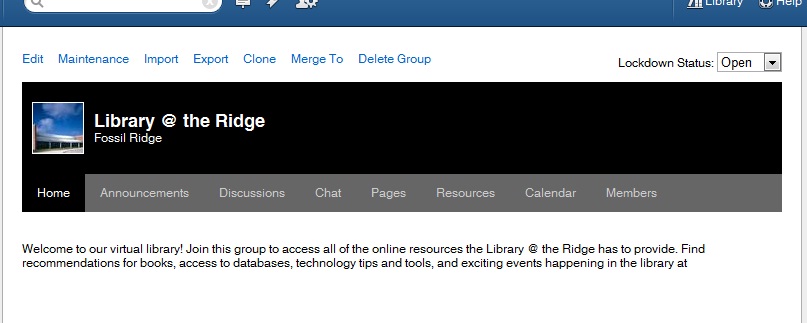
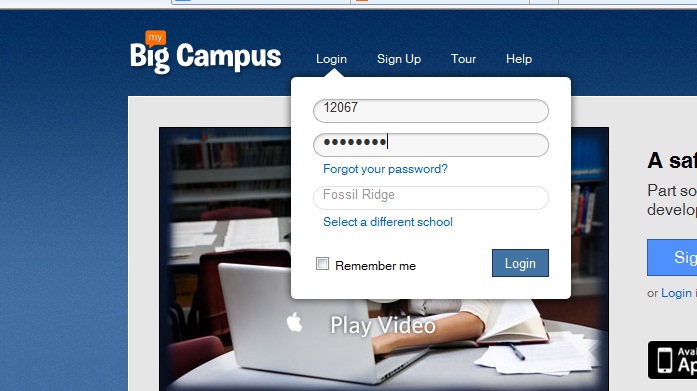 Groups–Getting started is easy-peasy! Teachers and students are already registered. In fact, when you click on your groups, you will see each class period and subject already organized into groups.Students will see each of their classes as well. Click on a group to enter the online classroom for that class period.
“Right now, I am loving the calendar feature. Each morning I put our physics plan for the day on the calendar and in the description portion I let the students that are absent know what they will need to do in order to make-up their missing work for the day. I no longer have to answer the dreaded question “I was absent yesterday, did I miss anything?” ~ Camren Robinson
 In addition to groups, teachers and students have access to Conversations, a messaging feature, Schoolwork–the feature that allows students and teachers to create and access many types of assignments. Bundles allow teachers to create online units of study to align with curriculum. Teachers can upload YouTube videos, pdfs, word docs, and jpegs to “bundle” together to create an engaging extended classroom.
Both students and teachers can maintain a blog through MBC. Blogs allow for a personalized platform to reflect on learning in any content area.
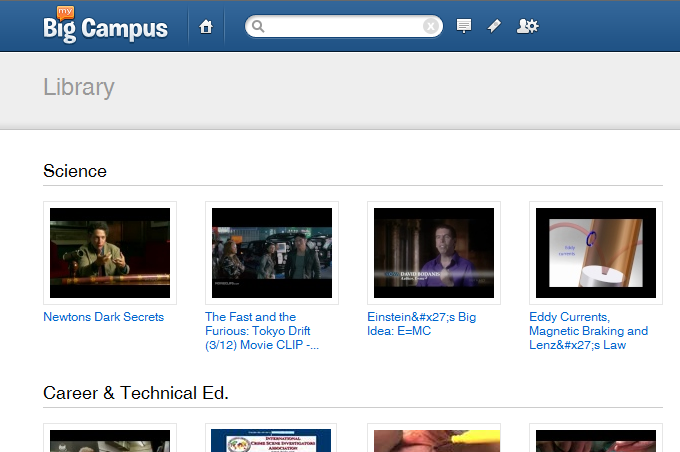
One of the most useful features in MBC is the Library. Teachers can search for content that has been uploaded into bundles to pull into a bundle for their class. They can also upload additional content and share with team members.
Independent Reading Myth #3 Students Won’t Read
Myth #3–Students won’t read in class if I give them time.
- Book Talks–Talk about what you are reading. What do you say to your friends when you are excited about a book you can’t pull yourself away from? You don’t spill the entire plot, right? Rather, you give them just enough so they want to snatch it up as soon as you are finished. This is the perfect opportunity to model what real readers do as they share their reading experiences. Also, it’s an opportune time to sneak in a mini-lesson (very mini) about previewing and predicting texts. Book talks work especially well at the beginning of SSR. I’m very purposeful with my booktalks. Sometimes, it’s a book I’ve chosen for a reluctant or stalled reader, knowing he or she will be the first ask for it. And other times the book might have a thematic link to our shared reading; my more sophisticated readers understand the magic that can occur when you begin to read for themes across genres and across books. If you’re still unsure what to say, read the cover. Publishers usually do a pretty good job o inviting readers to try the book on.
- Read-Aloud–I fight hard to preserve my read aloud time. This is also a good practice to begin SSR with. During read aloud, you are reading and the students are listening. That’s it. Period. I begin read aloud by reminding my students of the purpose–listen to enjoy. Read alouds can be editorials or articles, cartoons, excerpts from novels, picture books, or entire novels. One of my favorite read aloud experiences was with a little book called Same Kind of Different As Me. Written by two Fort Worthers, this precious story describes the unlikely relationship between an entrepreneur, his terminally ill wife, and a homeless felon and how they learned that it’s not the differences that matter, but the sameness. Choose texts that are pleasing to hear, good strong story arcs or structure, and challenge the reader just enough to help build an understanding of structure and vocabulary. At the end of a read aloud, don’t start in with twenty questions over plot, character, support, or theme. Invite students to respond however they need to with a simple, “what sticks with you?”
- Excerpts– I love to be sneaky and bring in an especially enticing YA excerpt to pair with traditional literature. Some of my favorites include Laurie Halse Anderson’s Speak paired with The Scarlet Letter, Gordan Korman’s Jake, Reinvented with The Great Gatsby, Sharon Draper’s Romiette and Julio with Romeo and Juliet, just to name a few. The excerpts are used not only to draw connections between texts, but also as vehicles for many litearcy skills. I find that examining the isolation and social-outasts from the perspective of a 15-year old freshmen is a little more approachable than through Hester Prynne. Inevitably, some reader will ask to check out the entire book once we spend part of a day exploring a snippet. Excerpts also make for terrific mentor texts during writer’s workshop as well.
- Conferences– I’ve already discussed the power of talking to your readers about what you read. Talking to them about what and how they read is as equally important. I’m not talking about asking them to provide you with a five sentence summary, analyze the intrinsic motivation of the character, or expound on the symbollic or thematic elements. The kind of transformative talk that makes readers grows organically from a student’s reading experience, how he or she relates to the text. Conferences, one-on-one or small group discussions with readers, allow this transaction to come to the surface. Tangled and alliterate readers may not have recent experience with a text that invited them to make their own meaning. Their experiences stem from teacher-selected reading tasks and purposes. Again, I like to start with a simple question, “What sticks with you?” From there, with some probing and modeling, I allow the conference to take its natural shape. Not only can I judge whether or not a book is a good match for a reader, but I can facilitate a deeper reading experience and recommend subsequent titles.
Any new practice takes time to adapt. Most of your average 17-year olds have very vague recollections of choosing a book AND being given time in class to read it. Some have no memory of such a practice as they were probably never given that freedom. Sad, I know. And so it’s going to take some time. In the fall we are warming up, building those reading muscles, forming good habits as readers, exploring our own reading interests and styles. Sometime before Christmas my new readers might finish the first book they have ever read by themselves that they chose. Between New Year’s and Spring Break everyone is exploring their reading identities. And in the spring, we all sit back and marvel at the transformation. Just remember, for some of your readers, one or two books is a success.
Still unsure or need more convincing? Check out some of these resources:
Teri Lesesne’s Making the Match
Kelly Gallagher’s Readicide
Penny Kittle’s Book Love (coming fall 2012)
Janet Allen’s Yellow Brick Roads
How are you able to facilitate a reading community that reads together?
Happy reading!
Audrey
Tech Tuesday: Apps for Animation
Tech Tuesday: GoAnimate and Sock Puppets

 I’ve asked Madame Morgan to be my guest on the blog this week, and she graciously accepted.
 Why did you choose GoAnimate and Sock Puppets?
What obstacles, limitations, or surprises did you encounter?
What are the benefits to using applications and web 2.0 tools for animation?
- engages students in the learning process as they synthesize content into a digital story
- supports collaboration between students through the writing process: brainstorming, story-boarding, drafting, revising, publishing
- a task with an identified audience of their peers, other students, YouTube, etc. provides relevance along with rigor
We’d love to hear your thoughts regarding possible extensions and adaptations of this project in your content area! Feel free to leave any questions or thoughts for Mme. Morgan as well.
 (Re)Inventing the Librarian